The short version
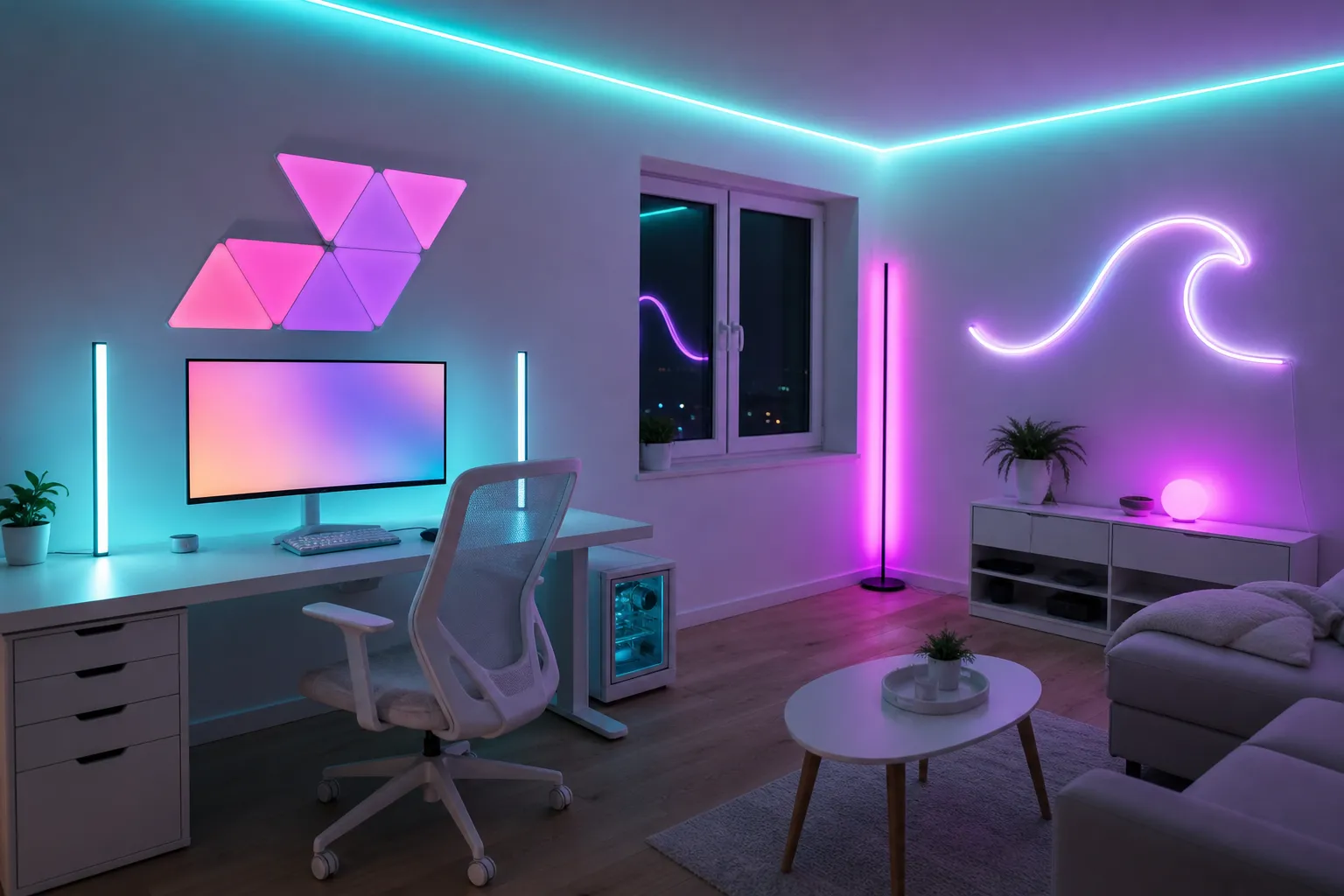
For most gaming rooms, start with an RGBIC LED strip for wall and bias lighting, then add one other type for an accent: a light bar, a corner lamp or a set of wall panels. Choose lights that work in one app, and check the power setup before you buy.
The main types compared
| Type |
Best for |
Look |
Ease of setup |
Renter-friendly? |
| LED strips |
Bias lighting, under-desk, ceiling lines |
Soft wash when bounced; dotty if seen directly |
Easy, but corners take care |
Yes, with painter’s tape underneath |
| Light bars |
Accents beside a monitor or TV, up-lighting a wall |
Directional pools of color |
Very easy, just place and plug in |
Yes, no mounting needed |
| Wall panels (hex, triangle, lines) |
Focal point behind the desk or on camera |
Bold geometric shapes |
Medium, needs careful layout |
Mostly, with removable mounts |
| Neon flex |
Outlining shelves or desks, custom shapes |
Smooth, continuous line like glass neon |
Medium, bends need clips |
Yes, with clips and care |
| Floor or corner lamps |
Filling corners, whole-room color |
Tall column of light or soft up-light |
Very easy |
Yes |
What each type does well
LED strips
The workhorse. Strips go behind screens, under desks and along ceiling lines. They’re the cheapest way to color a lot of wall. Their weakness is visible dots, which you fix by aiming them at a surface or using a diffuser channel.
Light bars
Small freestanding bars that you point at a wall. They’re the easiest light to move around and great for experimenting with placement. A pair either side of a monitor is a classic look.
Wall panels
Panels turn a blank wall into a design feature. They’re the most expensive per square foot of light, but nothing else gives the same “set” look on camera. Plan the layout on paper or with painter’s tape before sticking anything up.
Neon flex
A strip of LEDs inside a thick silicone sleeve, so it reads as one smooth line. Good for tracing the edge of a desk or shelf, or making a simple shape. It’s stiffer than a strip, so plan bends carefully.
Lamps
Corner lamps and floor lamps fill dead space and make the whole room feel colored. They’re also the easiest light to take with you when you move.
Specs that matter
RGB vs RGBIC
- RGB strips show one color along the whole strip at a time.
- RGBIC (independent control) strips can show several colors at once along the same strip, so you get gradients and moving effects.
For a neon or synthwave look, RGBIC is worth it. Gradients like pink to purple to teal are what make a room look designed.
LEDs per meter
More LEDs per meter means a smoother line and fewer visible dots. Higher-density strips look better when visible, while lower-density strips are fine when the light is bounced off a wall. If a listing doesn’t state LEDs per meter, that’s worth noting.
Brightness and color quality
- Brightness on listings can be hard to compare between brands. Look at buyers’ reviews for comments on whether the light is bright enough or too bright.
- Check whether the light can do a decent warm white. Many cheap RGB lights make white by mixing colors, which can look bluish. Some lights include dedicated white LEDs.
- Dimming range matters at night. You want lights that go low without flickering.
App and smart-home support
- One app for everything is a real quality-of-life upgrade. Buying within one brand or ecosystem helps.
- Check support for any voice assistant or smart-home platform you already use.
- Look for scenes and schedules, so you can switch the whole room with one tap.
Sync options
- Music sync uses a mic in the controller or your phone. Fun, but most people use it occasionally.
- Camera-based screen sync uses a small camera on top of the TV to match the lights to the picture. Works with any source.
- HDMI sync reads the video signal directly. Generally more accurate, but check it supports your resolution, refresh rate and HDR needs.
- PC sync through desktop software can match lights to games and peripherals on a computer.
Power
- USB-powered lights are handy behind a TV or monitor and can switch off with it.
- Plug-in adapters are needed for longer strips and panels. Count outlets before you buy.
- Check the maximum length that can run on one power supply. Longer runs can dim toward the end.
Placement tips
- Behind the screen: dim, single-color bias lighting.
- Under the desk: a strip pointing down and back.
- Ceiling line or shelves: an RGBIC gradient.
- Focal wall: panels, a neon-style sign or a pair of light bars.
- Corners: a lamp to fill the shadows.
Safety and mounting
- Clean surfaces with isopropyl alcohol before using adhesive, and use painter’s tape underneath on painted walls.
- Don’t cover strips or adapters with fabric, and keep them away from bedding and curtains.
- Only cut strips at marked lines.
- Use a surge-protected power bar plugged into the wall, not into another bar.
- Look for certification info such as UL, ETL or CSA on the listing.
Which should you buy first?
If you’re starting from nothing, buy an RGBIC strip and use it for bias lighting or a ceiling-line wash. Once that’s in, add the accent type that fits your room: light bars for a desk, panels for a streaming backdrop or a lamp for a bedroom. The budget setup guides show how these combine at different price bands.